Friday, August 27, 2010
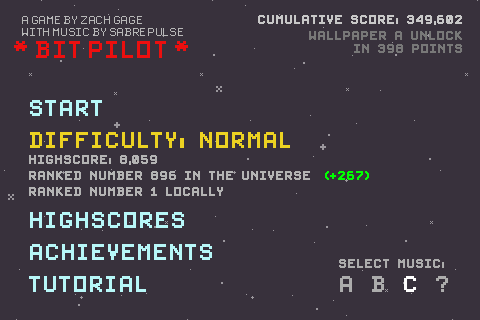
Game Review - Bit Pilot
Game Review - Tilt to Live
Game Review - MiniSquadron
MiniSquadron - $2.99 (Appshopper link)
MiniSquadron SE - Free + DLC (Appshopper link)
Every time I do a game review I grapple with the problem of what to mention and what not to mention. If I go into too much detail, I risk making the reader feel lost because he or she hasn't played the game yet. There's so much about MiniSquadron and its followup that it's hard to cover all of it without being too long-winded or overly detailed. So this time I shall endeavor to do this review in fewer than 8 paragraphs.
MiniSquadron is a great "pick up and play" game that you can turn on when you have a few minutes to kill, yet has a ton of neat things that will keep you coming back for more on your next break. You control an airplane, and your goal is to destroy all the other planes that show up in order to advance to the next wave. Visually, MiniSquadron is a cartoony 2-D side-view game with colorful and varied settings. Each area, which features 12 waves of enemies, has a unique theme, such as Face Land, whose background is littered with Moai heads from Easter Island, or Sunset Lagoon, which has a brilliant red-orange backdrop.
Like many other wave-based games, your goal is to survive 12 waves in each area and get the highest score possible. What's neat about the scoring though, is that you're not trying for a high score just to get a high score. There are certain goals to meet, and if you meet them, you unlock new planes. For example, a particular plane may be unlocked if you get 30,000 pts by the time you finish Wave 5 in Face Land. There are 56 different planes in all, and each has its strengths, weaknesses, and quirks.
Each plane also has a certain weapon type. There are 7 weapon types in all: Cannon (your standard bullets), Double Cannon, Triple Cannon, Homing Missile, Cluster Bomb, Drop Bomb, and Laser. Dividing 56 by 7, you get 8, meaning that 8 planes have a cannon, 8 planes have a double cannon, 8 planes have a laser, and so on. But not all planes are the same, even if they have the same weapon. Some may be faster but have weaker armor so you die faster. Others may be slow-moving and not very quick to turn, but have near-impenetrable armor. Finally, most of the ships have interesting and/or funny names that the creators, Studio FungFung, obviously had a lot of fun thinking up.
To make things even more interesting, powerups fall from the sky in the form of different colored stars. Powerups can make you faster, slower, invincible, invisible, shoot a burst of homing missiles, call in an airstrike, shoot a ginormous laser, or just give you extra points. Sometimes a Heart will appear, giving you an extra life. The kicker is that these hearts and stars can also be taken by enemy planes. The heart doesn't do anything for enemies, but the other powerups do, and you'll be at a disadvantage if, say, the enemy gets the Airstrike power.
I played MiniSquadron like crazy and managed to unlock all planes except the last one, which requires completing the last wave of the last area with a crazy high score. I haven't been able to complete it at all, much less get the high score. I will someday, though.
MiniSquadron is currently $2.99, and if you have half as much fun as I did, it's worth it. If you're not sure, you can download MiniSquadron SE, which contains the first 2 levels for free, and the other 6 as 3 separate $.99 download packs. I should note that MiniSquadron SE is a different game, with a new set of 56 planes and all-new areas, weapons, and powerups.
There! 8 paragraphs! For a buttload of screenshots, visit my Picasa web album.
Friday, July 30, 2010
Quick Reviews of stuff I've consumed lately.
A: Didn't know if I'd like the new character designs after playing (or watching someone play) the previous Monkey Island games. But they grew on me, and so did the story. The writers went where I never thought they would, and even though most of the puzzles were not very difficult, I was kept engaged and entertained by the twists and all the wacky characters, a trademark of the Monkey Island games.
Mirror's Edge (video game)
B: The washed out whites and the bold blues and reds really make the police state where this game takes place very unique. Mirror's Edge is the first and only "First Person Runner" game, so it's special by default. Sense of speed and desperation is always palpable, and makes parkour accessible to the most clumsy, uncoordinated of us. It's not always easy to get around, but the game teaches you what you need to do. My main complaint is that the game is too short.
Rocket Knight (video game)
B-: It's a game that can technically be finished in an afternoon. But for $7 this sidescroller starring a possum with a jetpack and sword is worth it. The cartoony graphics and lighthearted setting (if you can call an evil piggy dictator enslaving the possum land lighthearted) work well. There are some tricky puzzles but for the most part it's a lot of sword swinging and jet jumping.
Inception (movie)
A: Didn't know what to expect going in, but it is a fascinating movie. Lots of action and suspense, but also lots of deep thought. Its take on dreaming, reality, and loss was very fresh. Leo Dicaprio and co. were believable and entertaining.
Despicable Me (movie)
B+: Well done. Not too deep, but that's to be expected from a kids' movie. Very cute and funny. Steve Carrell's fake Eastern European accent was hilarious. I can totally see Michael Scott in some of the same situations. Visual effects were good. Minions were entertaining.
Bioshock (video game)
B (tentative, until I finish the game): Bioshock has been hailed by some as one of the greatest video game stories/settings ever. Perhaps the slight similarities to the Fallout series of games that preceded skewed my expectations more toward a big, epic retrofuturistic extravaganza. Instead what we have is a unique steampunk/evil carnival adventure that is somewhat claustrophobic. The claustrophobia can be excused due to the setting being a self-sufficient underwater city, but the story and setting aren't moving me that much. I've heard that it draws heavily from the works of Ayn Rand, but not having read those I suppose I am missing some of the nuances.
As a shooter, this game is good but not great. The vast array of special powers that you earn throughout tends to be a little cumbersome because you can't have them all equipped at once, and you never know which ones you're going to need at any given time.
Friday, June 4, 2010
Help me with a quick iPhone usage survey... and win!
The current plan is $30/month for "unlimited data", which is their way of saying 5GB max.
Now, as of June 7, 2010, new customers are subject to a tiered system, with the following:
- $15/month for 200MB
- $25/month for 2GB.
Now, you may have your strong feelings about this shift, and I have my opinions as well, but that is not the purpose of this post. I'm inviting you to help me in my quest to figure out how the new data plan will affect me, a prospective iPhone buyer/AT&T customer. Will I consistently go over the 2GB limit and have to pay their $10/GB overage fee?
If you'd like to participate, please answer the following two questions:
1) what kind of user do you consider yourself? Do you listen to a lot of streaming music or videos (Youtube, etc) on your iPhone? Are you always surfing the web/using apps, or are you a light user who goes on it once a day?
2) How much data do you use? This can be found by following the instructions in this Macrumors post. I would like to know at least how many MB or GB you used last month, though info on your usage for the last few months would be even better.
Notes:
- Please post your answers in the comments section below. If you are unable or unwilling to do so, you can send your response to omnigeno @ gmail.com (remove the spaces).
- I don't need to know how many SMS messages (texts) you've sent/received or how many minutes you've used for phone calls. Just data, please.
- Anyone who replies to both questions satisfactorily will be entered to win a $25 iTunes gift card code from me as a token of gratitude.
Thank you so much!
Saturday, March 13, 2010
Game Review - Eyegore's Eye Blast
One of the great things about the App Store and the games in it is the propensity for its developers to take a formula that works and use the special capabilities of the iPhone/iPod touch to add something very cool and interesting. In some cases, it has to do with touch controls being more precise than moving a pointer around on the screen with a mouse or arrow keys. In the case of Eyegore's Eyeblast, it has to do with using the device's accelerometer to inject some innovation into the good old Bust-a-Move/Puzzle Bobble formula.
For those who were deprived, Bust-a-Move was an old Super Nintendo/arcade game where your goal is to shoot a colored orb from the bottom of the screen at a group of orbs at the top of the screen to make them disappear. Your ability to estimate angles and vectors was key, because the orbs were shot out of something resembling a rotating turret.
Eyegore's Eyeblast takes that tried and true system one step further. Instead of being stationary at the top of the screen as in Bust-a-Move, the orbs in Eyegore's Eye Blast are suspended on a chain, and using the accelerometer (i.e. tilt controls), you can move the chain and orbs as if they were a big pendulum. This introduces an extra element of strategy, because you now have a tremendous amount of control over where your shot lands. For example, if you're aiming for a red orb at the top of the bunch, inaccessible to direct shots, you have to slowly tilt your device from side to side, gathering up enough momentum for the pendulum, and with the right timing, ricochet your shot off the side and top walls to get to the that red orb on top while it's exposed.
It's really a lot of fun, and I think those who enjoy the challenge of playing billiards will appreciate this pocket-sized puzzler. Oh and by the way, instead of being colored orbs, the things in Eyegore's Eyeblast are EYEBALLS!!! Eyegore's Eyeblast is connected to the Agon Online network, which tracks global scores and records your achievements for accomplishing special goals in-game.
If you're curious, at least check out the Lite version (link above).
Game Review - Samurai: Way of the Warrior
One of the things iPhone game developers have to contend with when designing controls for a game is the lack of physical control buttons, like a game console or other portable like the Sony PSP and Nintendo DS. Since the beginning of iPhone games, many creative control schemes have surfaced to compensate for this. Some have been great and intuitive and others have proven clunky at best.
Samurai: Way of the Sword is mostly in the first category. You control an honorable Samurai warrior, who arrives in a town and finds that it has been taken over by a brutal, powerhungry warlord and thus is crawling with his lackeys. Samurai is an action game, primarily consisting of you moving around and using your swordsmanship to wipe out waves of enemies as you move through the towns.
And that's where the controls come in. You simply tap on the screen where you want the guy to walk to. To attack or dodge, you swipe your finger up, left, or right on the screen. As you play, you will "unlock" various combo moves that consist of repeated swipe combinations (such as Left, Up, Left).
As simple and intuitive as these controls are, however, I have found Samurai to be the touchscreen controlled version of a "button masher", where it really doesn't matter which way you swipe or which combos you use - I just ended up going nuts swiping in every direction. I don't know if this is due to my impatience or the inability to tell the difference between all the different combos I was supposedly performing. Still, the cartoon brushstroke visuals and cheesy yet gory enemy deaths are worth a look if you like simple action games.
I would kind of see myself enjoying this game as more of a "play for 5 minutes while waiting in line" type of game rather than something to get sucked into for hours. I have not finished the game yet, but it feels like it can get repetitive pretty quickly.
Look at the screenshots below and check out the free version (link at the top of this post).